

What’s new!? (older updates)
Archive of previous platform updates.
This page contains our update log for new features (✨), upgrades (⚡️) and platform status alerts (🏗️) that are older than 6 months. You can view new updates ➡️ HERE ⬅️.
If you have any questions, please get in contact with us via your DekkoSecure account manager or drop us an email. You can also use this channel for requesting new features or providing feedback on what you see listed on this page.
8th October, 2025
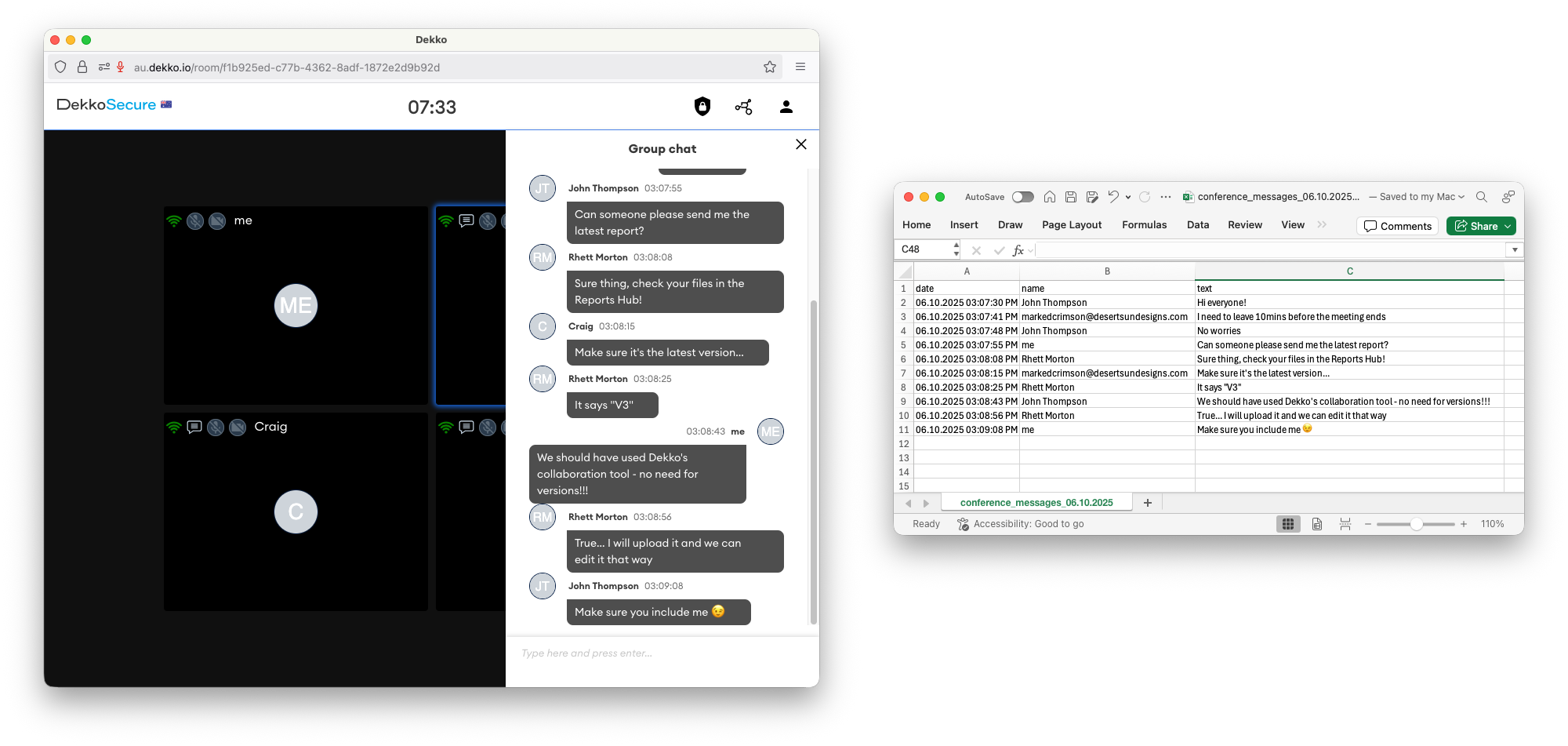
New ✨: Video Conferencing chat transcript export
Video Conference hosts can now save the chat log from a meeting. The transcript file can be accessed from the host’s meeting schedule or the Transcriptions section of their file storage.
Updated ⚡️: Video Conferencing support for Safari and Firefox
Previously limited to Google Chrome and Microsoft Edge, the Video Conferencing feature can now be accessed when using Apple’s Safari and Mozilla’s Firefox browsers.

16th September, 2025
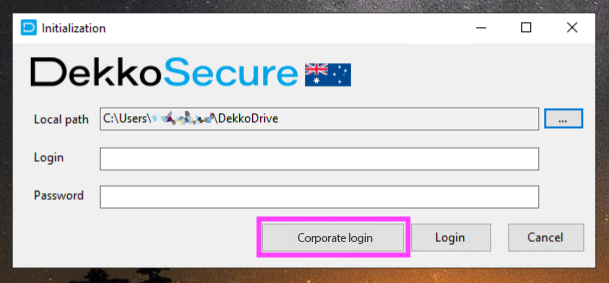
Updated ⚡️: DekkoDrive now supports Single Sign-On authentication
8th August, 2025
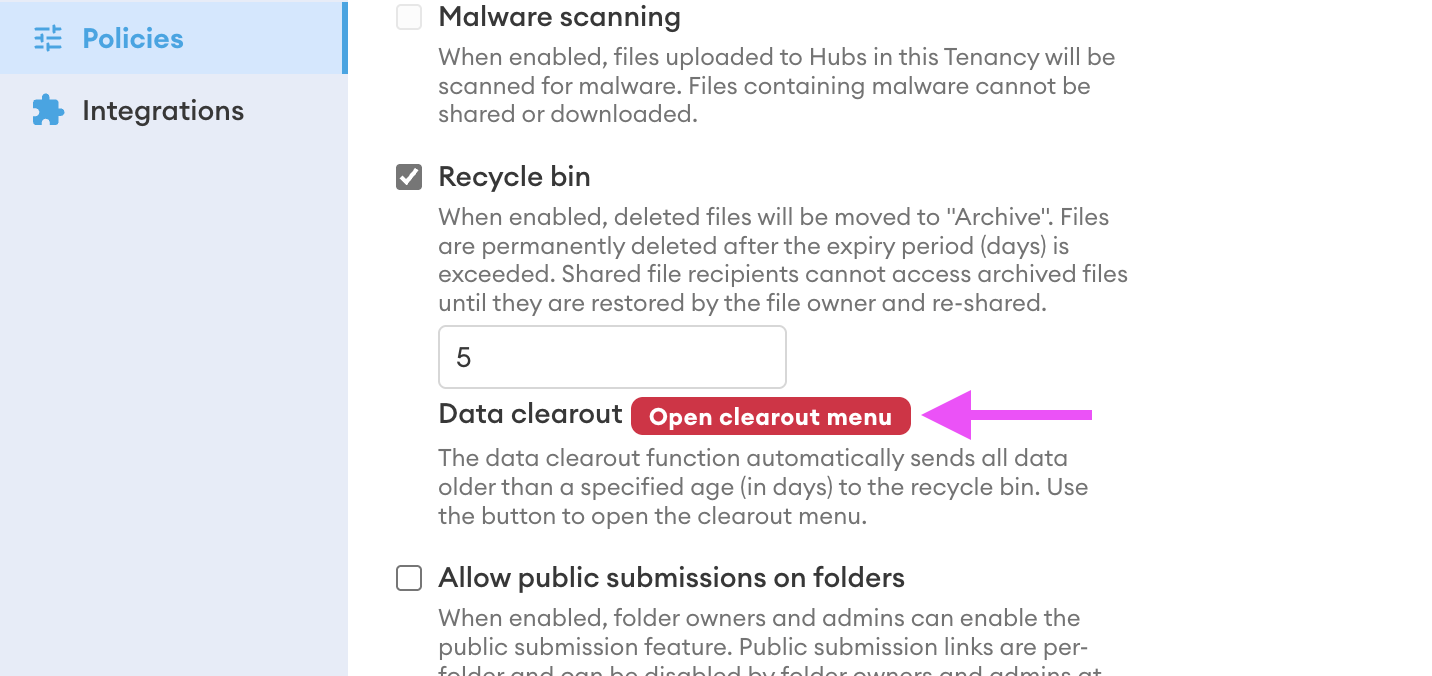
New ✨: Data Clearout function
In combination with the recycle bin Tenancy policy, Tenant admins can now wipe data from a tenancy. The clearout function can only be enabled when the recycle bin policy is enabled. Only data older than 30 days can be wiped.
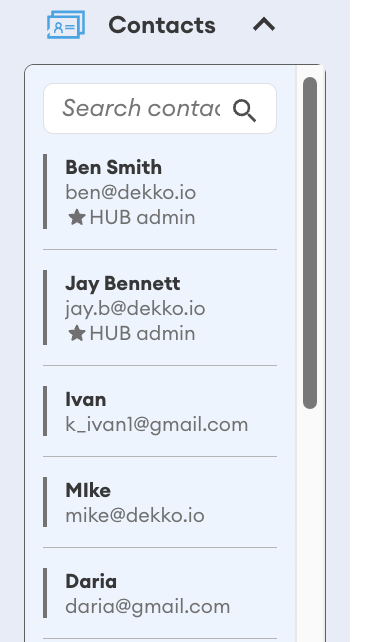
Updated ⚡️: Hub Admin indicators
The contact list now displays which members have the administrator role, as indicated by ★ HUB admin marked on their contact entry.
Updated ⚡️: Login dates are now displayed in the user list export CSV file.
7th July, 2025
Updated ⚡️: Training videos
The Training Video Series article has been updated with lots of new content! All videos are around 1 minute or less with simple action descriptions throughout for easy consumption.
18th June, 2025
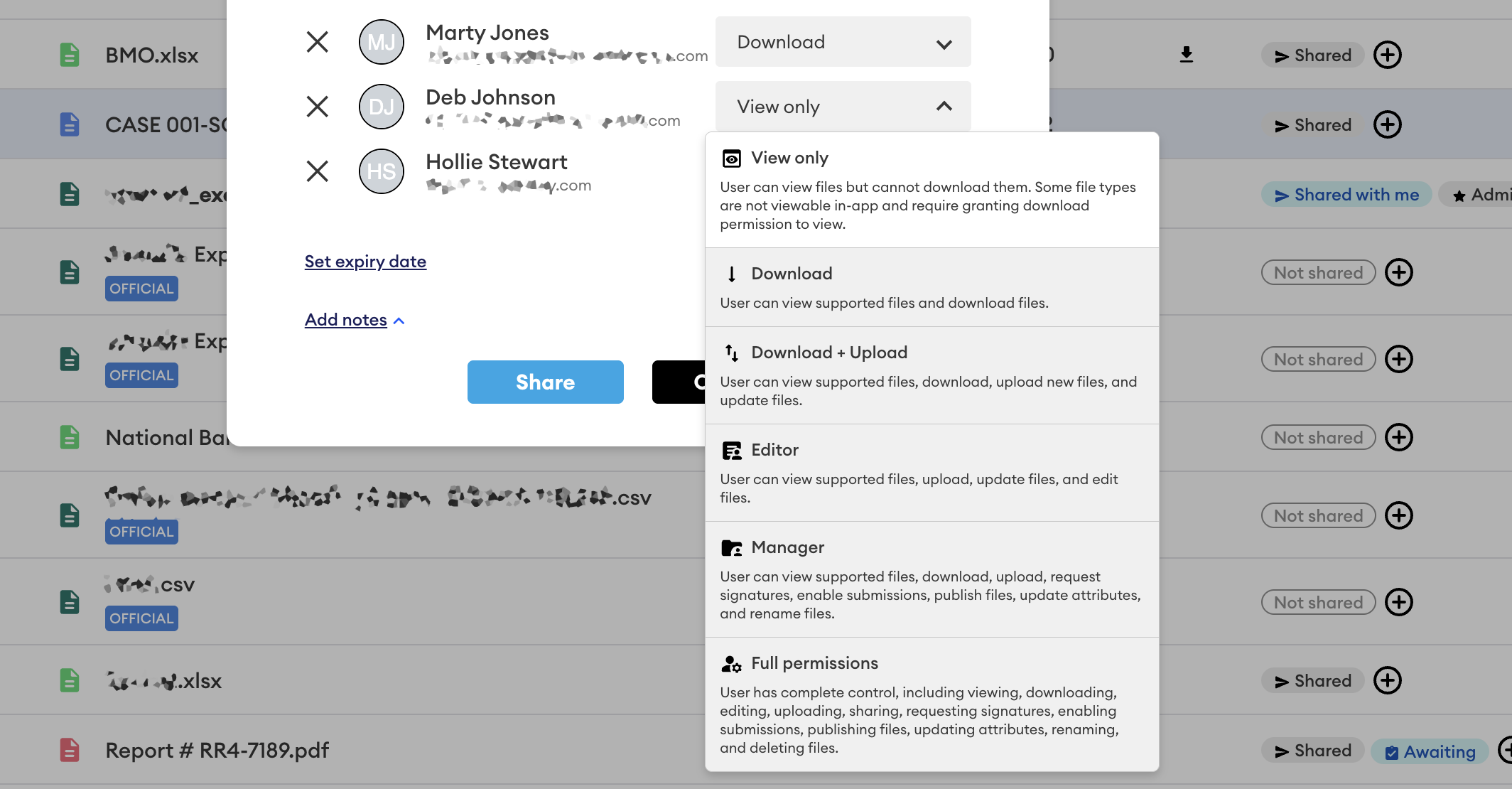
Updated ⚡️: New file and folder sharing permissions
The sharing interface now features additional permissions: View only (for folders), Editor (for files and folders) and Manager (for files and folders).
Check out the File Sharing and Folder Sharing articles to learn more.
New ✨: DekkoSecure DEMS platform knowledge base site!
The DekkoSecure DEMS knowledge is available on a new, dedicated site!
Please go to ➡️ https://dems.dekkosecure.com/ ⬅️ to visit the DEMS knowledge base (and bookmark it!)
23rd May, 2025
It’s been a while… where’s the updates!?
We’ve been working on a huge project - a DekkoSecure platform designed and built specifically for Digital Evidence Management and Sharing, or “DEMS”. Learn more at the DekkoSecure website: https://www.dekkosecure.com/dekkodems
The DekkoSecure DEMS platform is available now with data sovereignty in the United States.
PSA 🚨:
We recently noticed that Chromium browsers (Chrome and Edge) have started to performance-manage tabs that aren’t open. This means if you start an upload or download in the DekkoSecure app and then switch to another tab, that transfer will be paused.
We have documented preventative settings for your browser’s configuration that will stop this from happening so that your work continues uninterrupted!
➡️ Go to the browser settings page to learn how to do it!
29th January, 2025
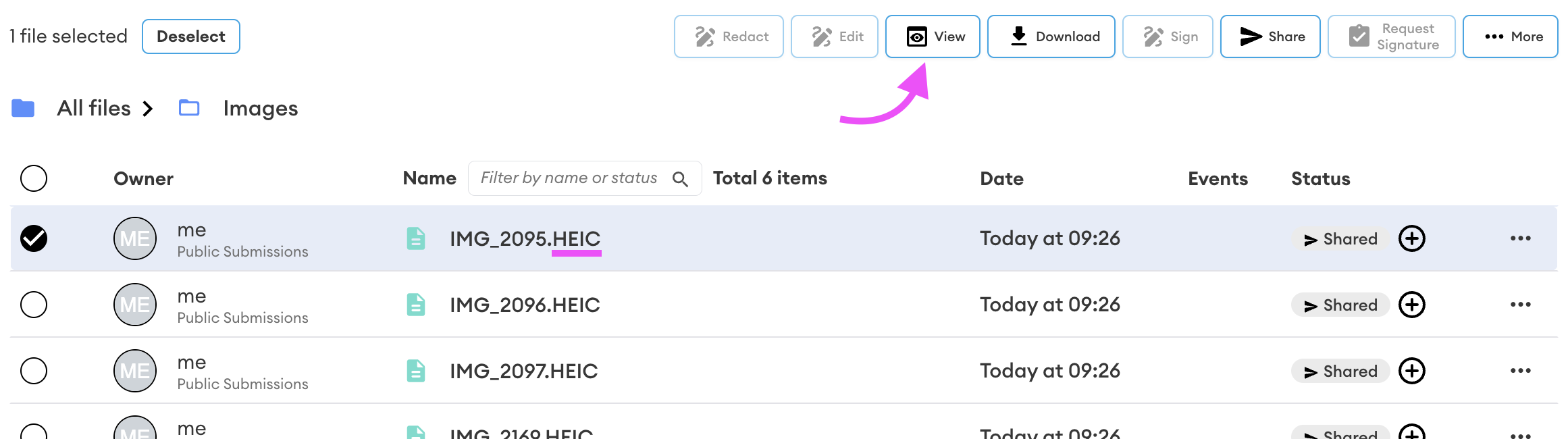
New ✨: In-app viewing for HEIC/HEIF images.
Modern phones often use HEIC/HEIF, an image file format that typically uses more advanced compression than JPEG—resulting in smaller file sizes. You can now view these images without downloading them. Just select your HEIC/HEIF file and press the View button to open it!
28th January, 2025
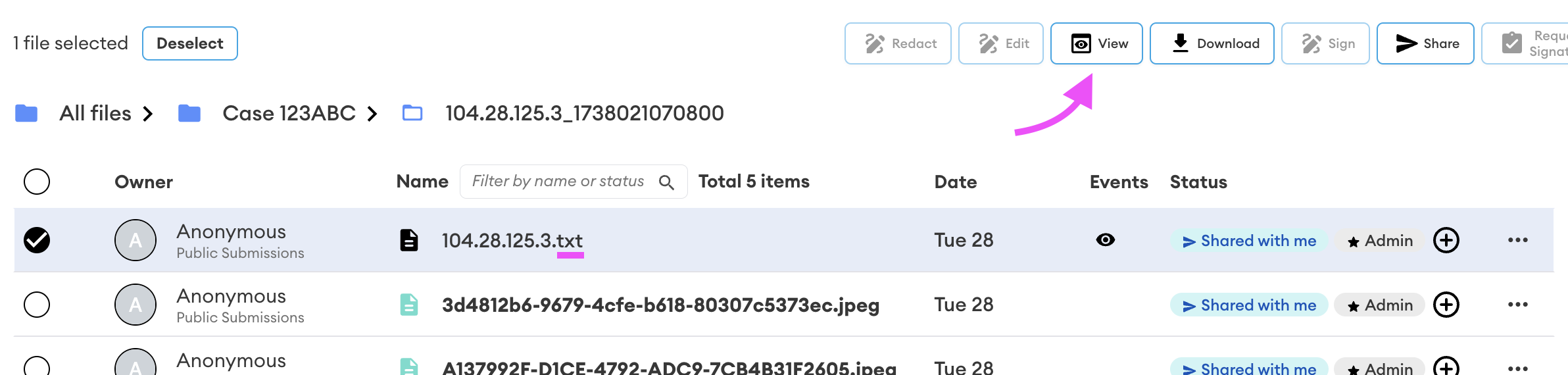
New ✨: In-app viewing for text files
Text files (extension .txt) can now be viewed without downloading them. Similarly to other viewable files, just select your text file and press the view button to open it!
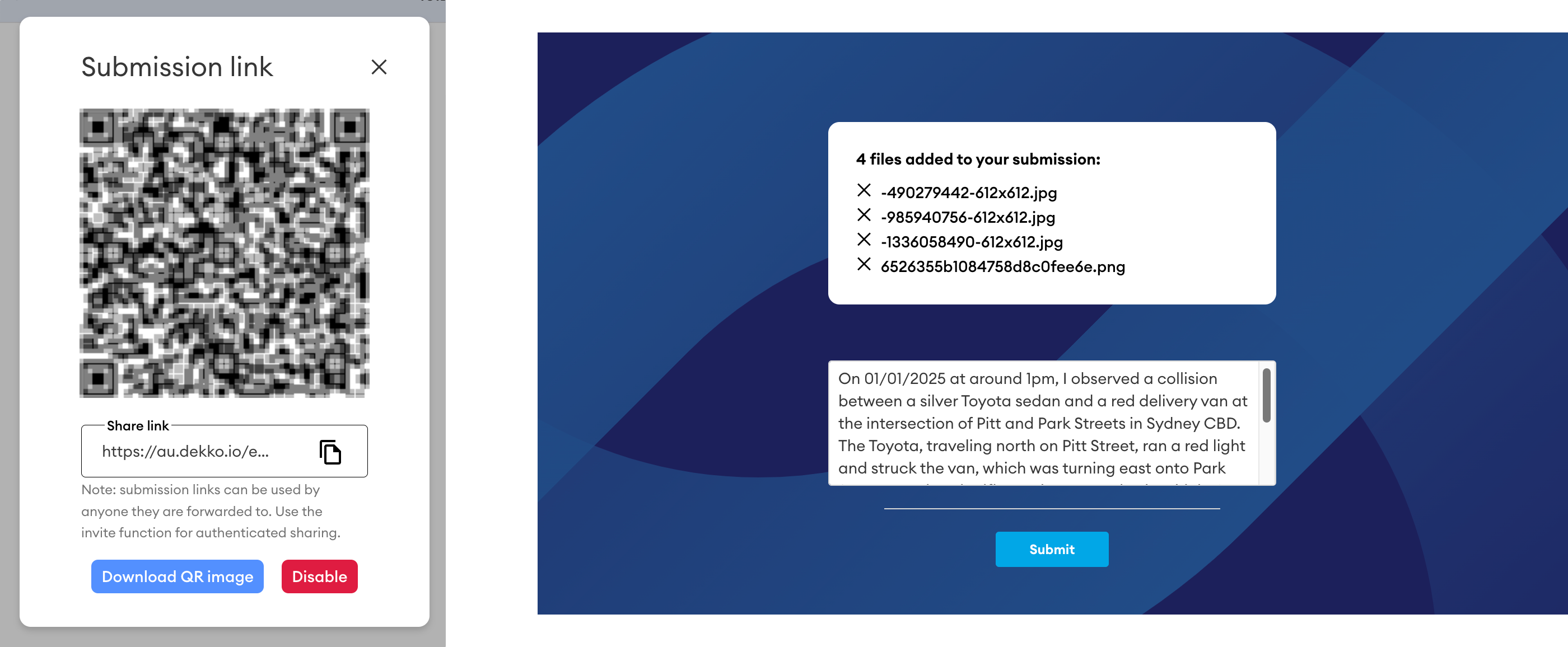
New ✨: Public Submissions
Folders can now be set up to take files and messages from unauthenticated parties. Each folder with submissions enabled has a unique URL that you can share with submitters in any way you see appropriate. Please review the how-to page to learn more.
23rd December, 2024
New ✨: File size limit policy
File size limits can now be set on uploads as a Tenancy policy (set in MBs). For uploads of multi-file/folder uploads that contains files that are below and above the limit, the uploader will be warned that files above the limit will be skipped.
New ✨: Recycle bin
Deleted files can now be staged for permanent deletion in an “Archive” which is now listed in the left-navigation panel. The policy is set in days, and files can be restored from archive by file owners prior to deletion.
19th December, 2024
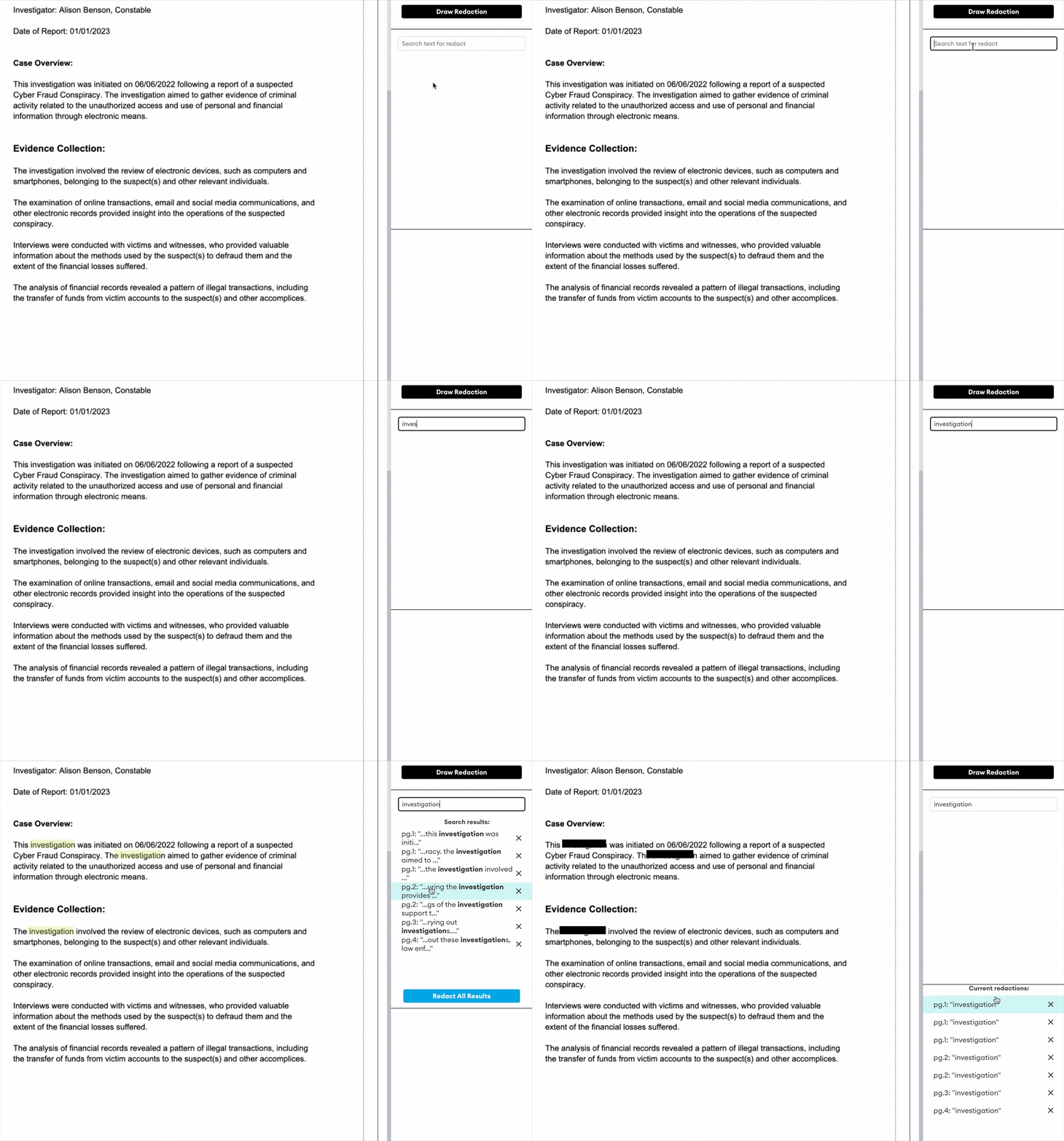
New ✨: Document redaction
File content can now be redacted in-app! With current support for PDF files, redacted files can be shared and/or used in an eSignature request, and cannot be removed by any shared recipients. Please review the redaction how-to page to learn more!
22nd November, 2024
New ✨: Central Access Admin
The Tenancy Manager Policies page has been updated to include a new administration tool designed to centralise content access. When enabled, a nominated account is automatically granted access to all files uploaded to Hubs within the Tenancy. This feature is particularly valuable for organisations with strict regulatory requirements mandating centralised access control. For more information, visit the Tenancy Policies page.
16th November, 2024
Updated ⚡️: DekkoSecure-AU compliance
DekkoSecure's renewed IRAP PROTECTED assessment (June 2024 ISM) is complete! Please reach out to your account manager or get in touch using the contact form on dekkosecure.com to obtain the relevant documentation.
New ✨: Auto-ZIP for big uploads
Uploads on DekkoSecure are getting bigger every day! Of course, this is supported by our lack of file size or file volume upload limits - however - we’ve introduced a new capability that makes sharing big uploads even faster. The DekkoSecure app can now automatically compress your upload in to a ZIP file! This means upload size will be reduced, and the encryption scheme will be simplified to just one key. This introduces greatly reduced upload time, especially when uploading large volumes to folders that are already shared. Auto-ZIP works a little differently depending on how many files you’re uploading:
- For uploads of 30-1000 files, you’ll have the option to upload the folder as-is, or ZIP
- For uploads of 1000+ files, the app will automatically ZIP the folder
8th November, 2024
Updated ⚡️: Tenancy Manager user search speed
The magic behind the user search function in the Tenancy Manager has been updated with… better magic! 🧙♂️ Searching (and filtering) now loads instantaneously - even in large Tenancies with thousands of users.
28 October, 2024
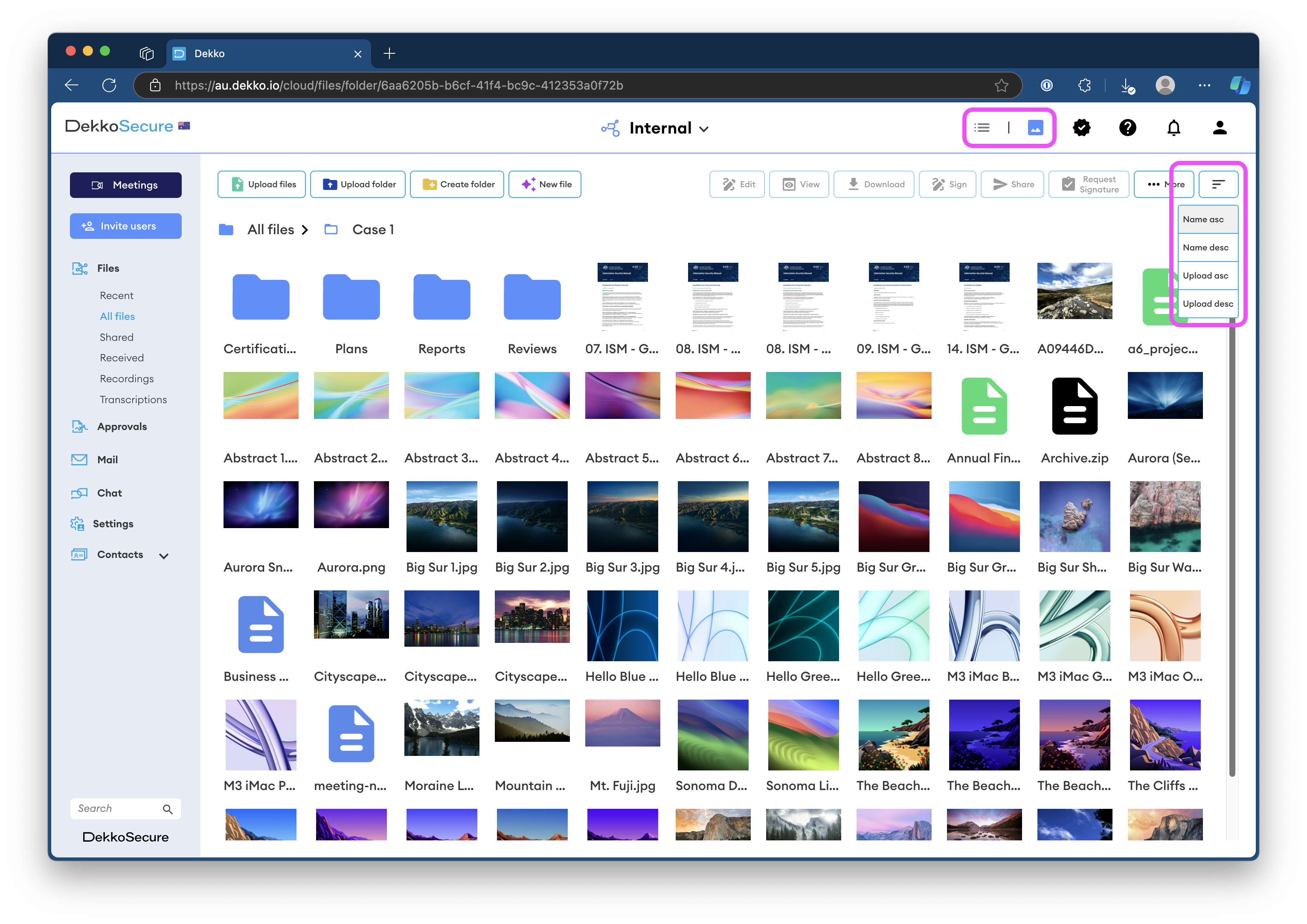
New ✨: Thumbnail browsing view
The file browser has been updated with a view which shows your content as a thumbnail view 🎆 which has previews for all viewable images and PDFs. Use the view switcher in the navigation bar to change from list view. Your view preference will be remembered after logging out, so you won’t need to switch every time you log in!
Note - folders will always be displayed on top, and content sorting can be adjusted using the sort dropdown.
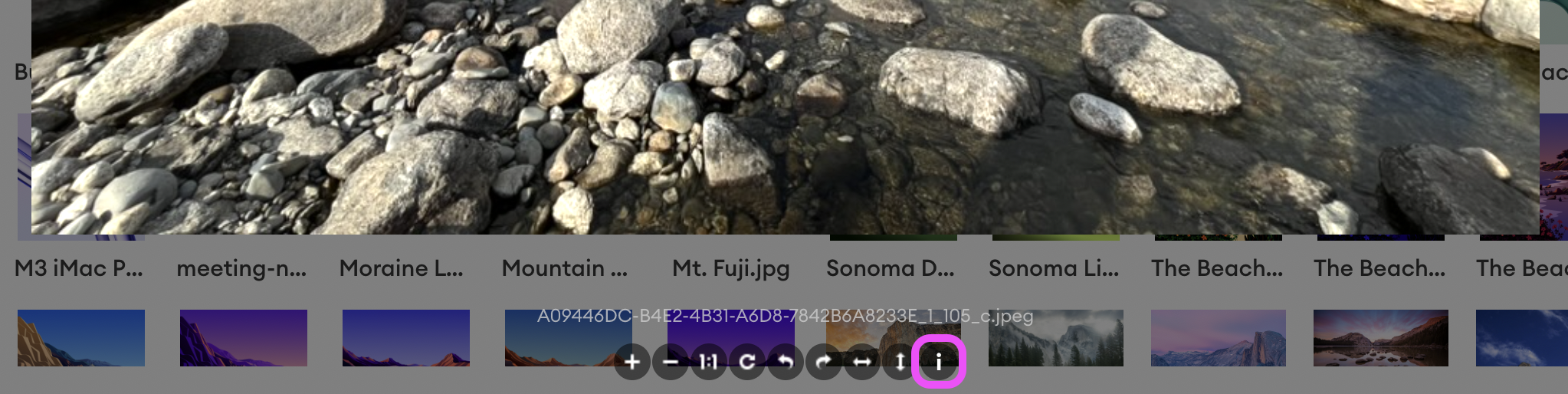
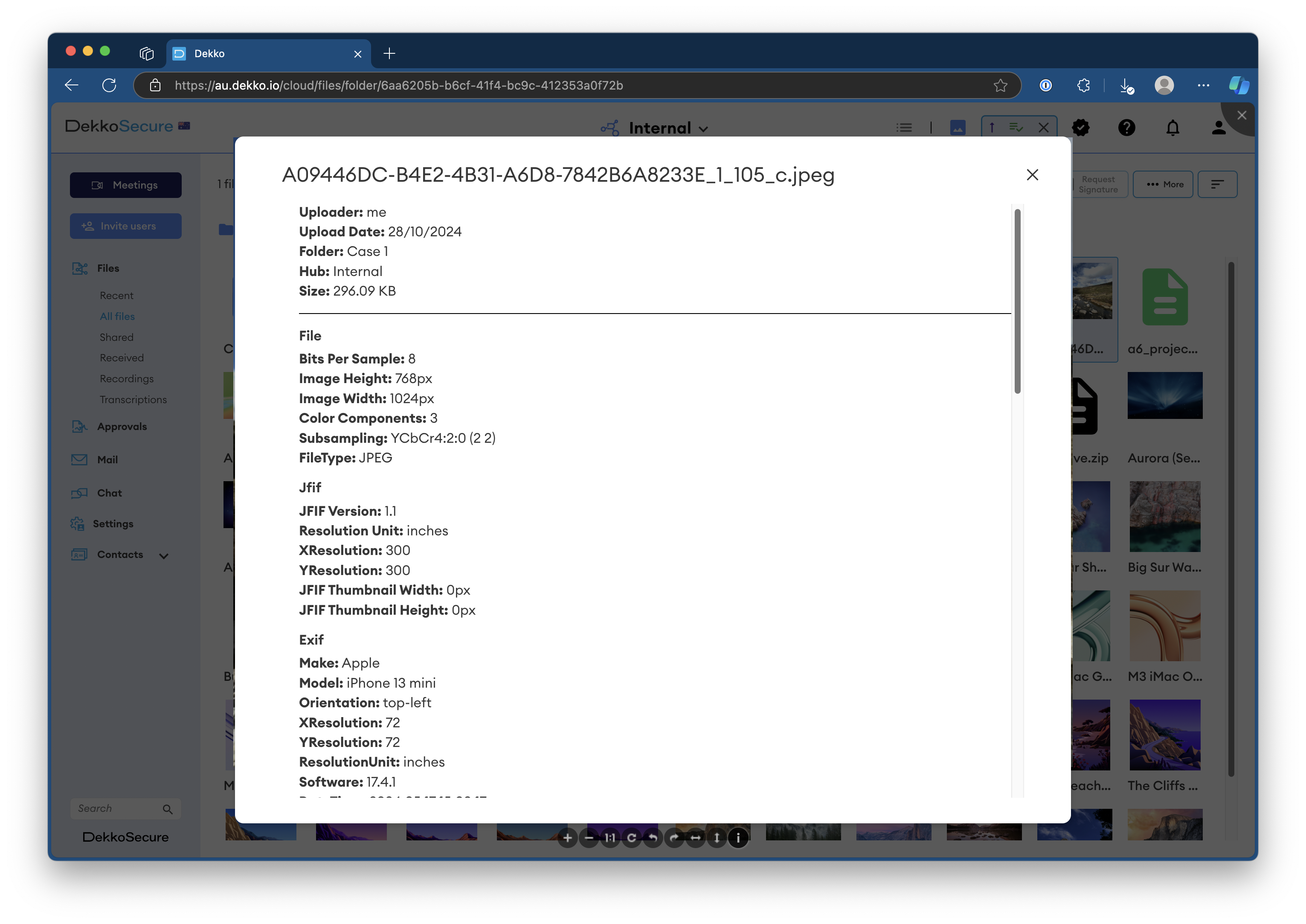
New ✨: Metadata display for images
Detailed photo metadata can now be accessed via the ⓘ button in the photo viewer. When present, information such as original create date, capture device information, software origination and location data will be shown. This update applies to photos that are already in the DekkoSecure platform!
2 September, 2024
New ✨: AI Knowledge Base bot 🐨
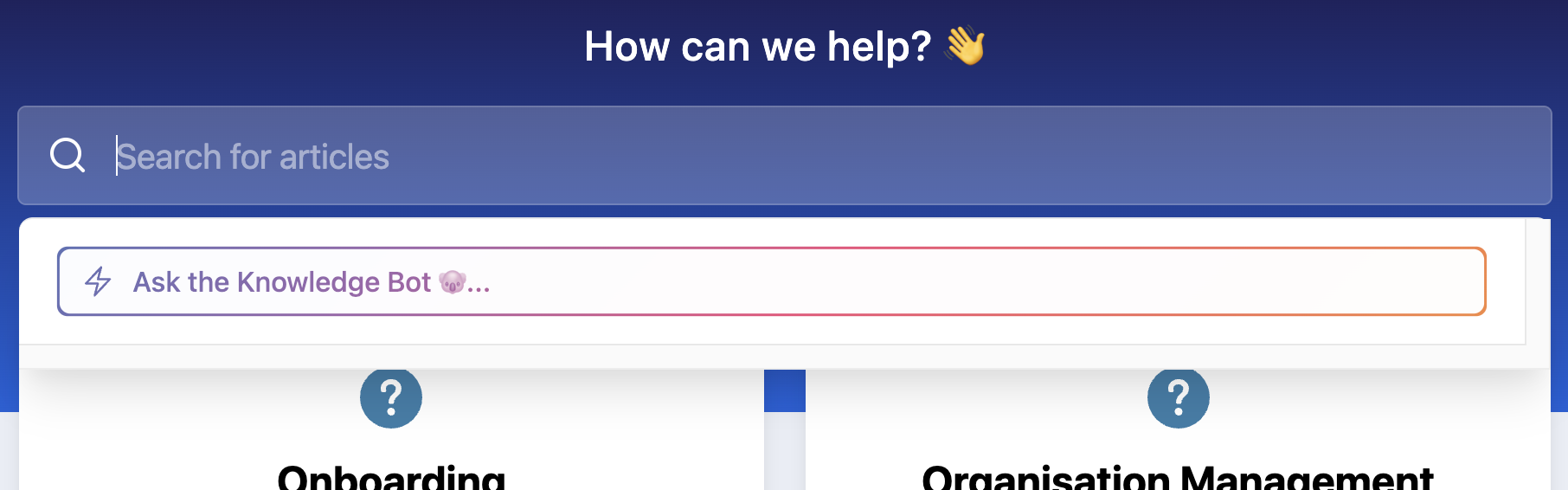
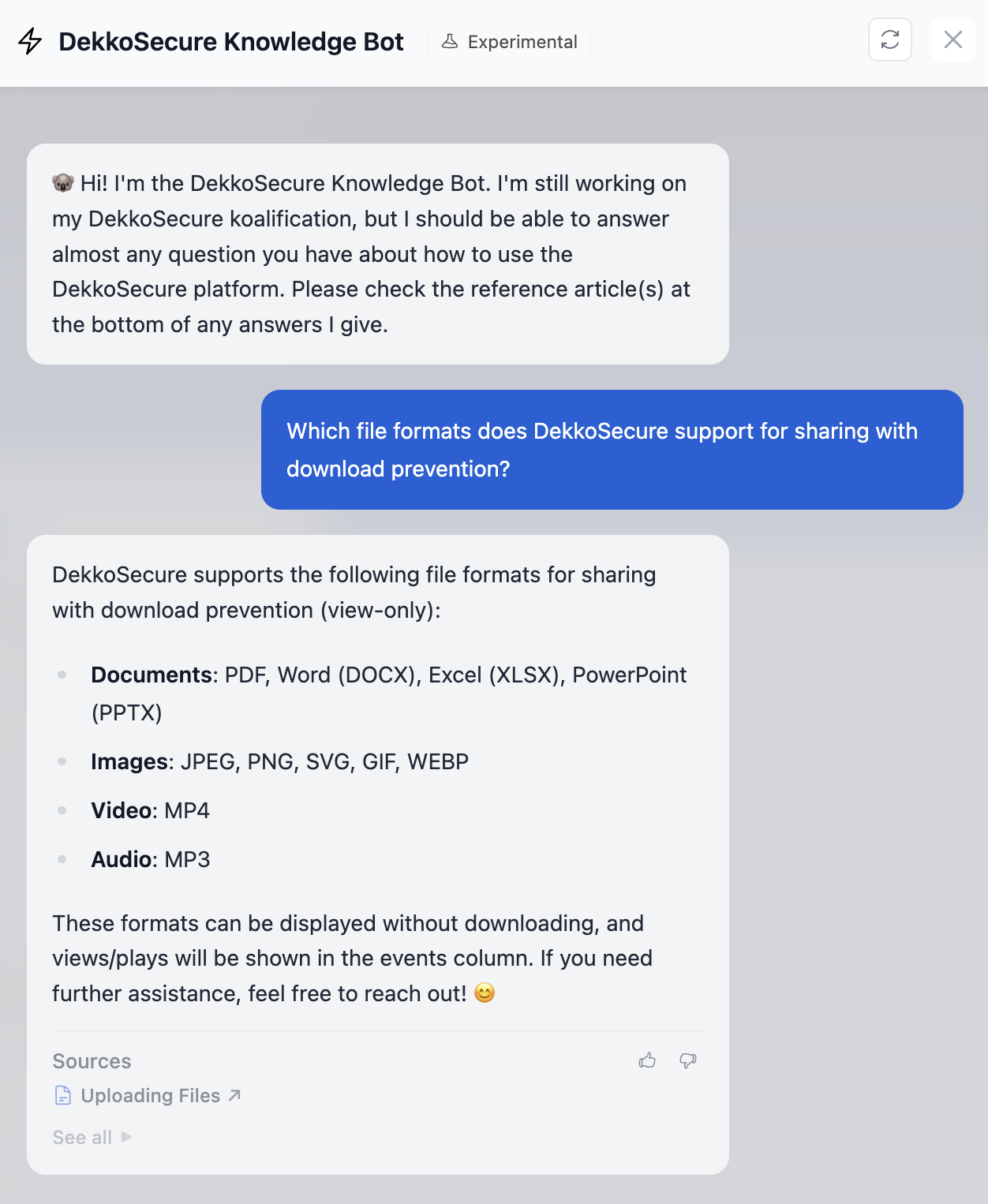
We’ve enabled a GPT-powered assistant on the knowledge base search which is trained on every article contained within this site. To open it, click on the search bar and then Ask the Knowledge Bot. You can use natural language prompts in your queries, for example, “Which file formats does DekkoSecure support for sharing with download prevention?”. Answers will always contain a reference article, so make sure you check the link provided for more detail and guidance.
Please be nice, it’s still learning!
13 August, 2024
New ✨: Recommended workflow guidance article
The knowledge base contains dozens of comprehensive articles about how to use every feature of the DekkoSecure platform, but these might leave you wondering how a feature (or combination of features) can be used for real-world applications and use cases.
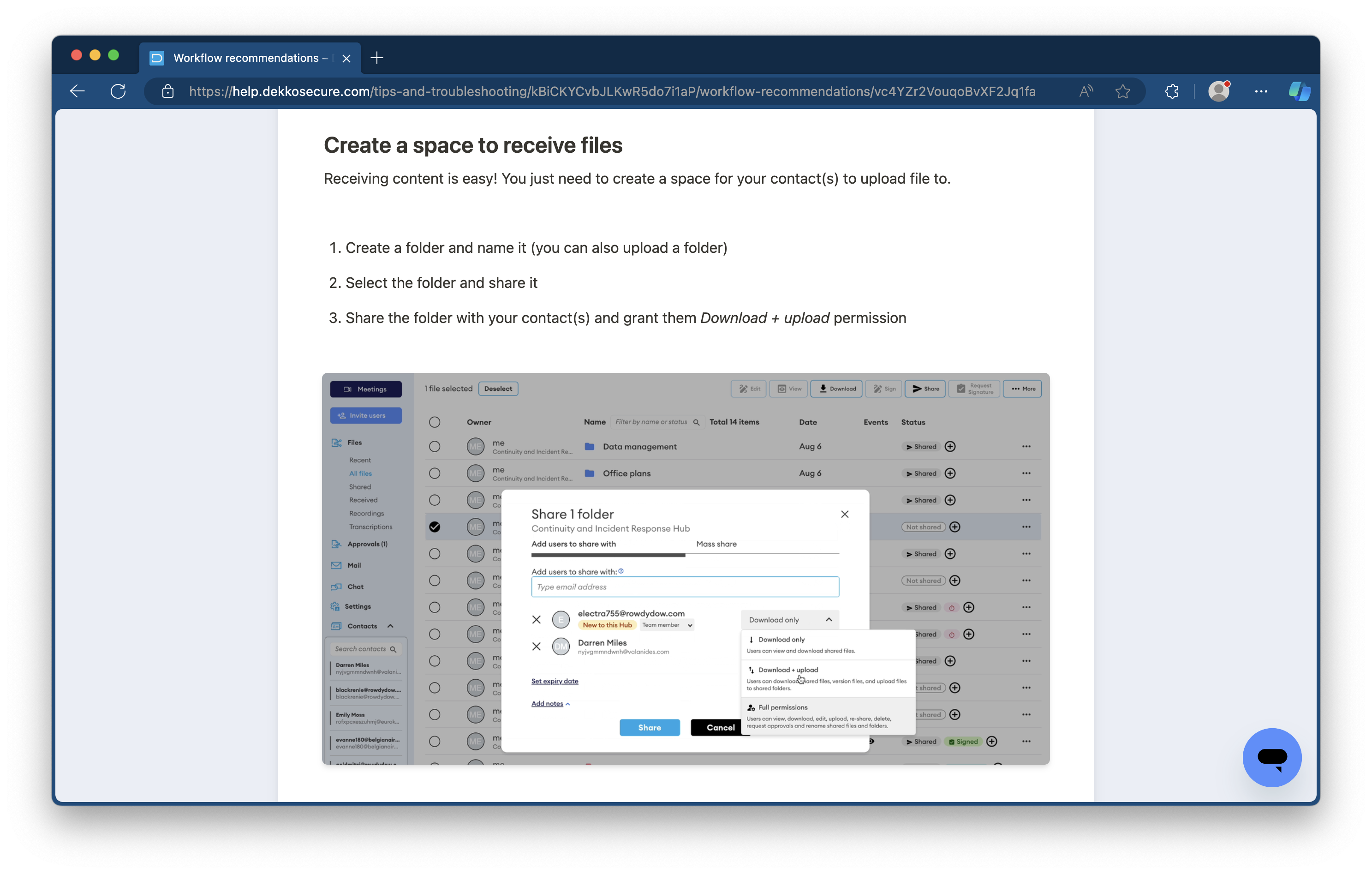
For example, you might think, "How can I create a space to receive files?” - this is exactly what our new workflow recommendations page is for! Each topic has easy steps and a GIF or screenshot example showing exactly what to do.
To start off we’ve added these 5 common use cases: **- Create a space to receive files
- Share files that support a signature request
- Set up a new collaborative document
- Share a file with a group of people that can’t see each other
- Share files with everyone in a Hub**
We’ll be adding more use cases over the coming weeks, so be sure to check this page if you have a workflow query, or you’re a DekkoSecure guru that needs to send a guide to one of your colleagues.
5 August, 2024
Maintenance 🏗️: The DekkoSecure-AU platform (au.dekko.io) will be undergoing maintenance from 6pm AEST on 16/08/24. The expected maintenance period is 4 hours, and access to the platform will be limited for at least 1 hour from the commencement of the maintenance window. Please plan any critical usage around this time and check dekkosecure.statuspage.io for updates (and don’t forget to subscribe!).
New ✨: Automated Single Sign-On registration flow
Organisations that have integrated Entra ID (formerly Azure AD) SSO with the DekkoSecure application will now be able to register their domain(s) with us to enforce SSO registration. This means whenever your users receive an invite, they’ll get an email with a link that takes them to a dedicated SSO registration page instead of the typical “internal” account registration page:
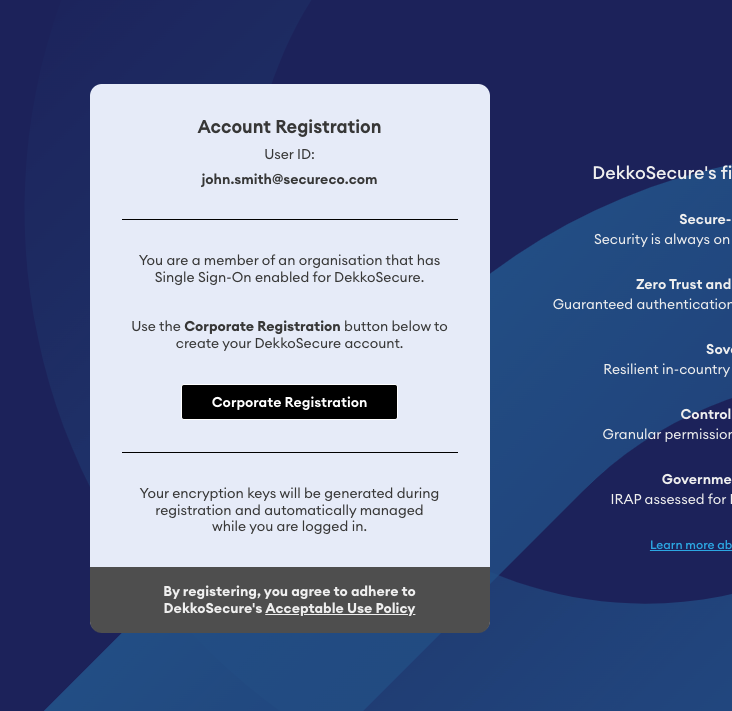
Please reach out to your account manager to discuss SSO registration automation.
15 May, 2024
- New ✨: Hub membership management
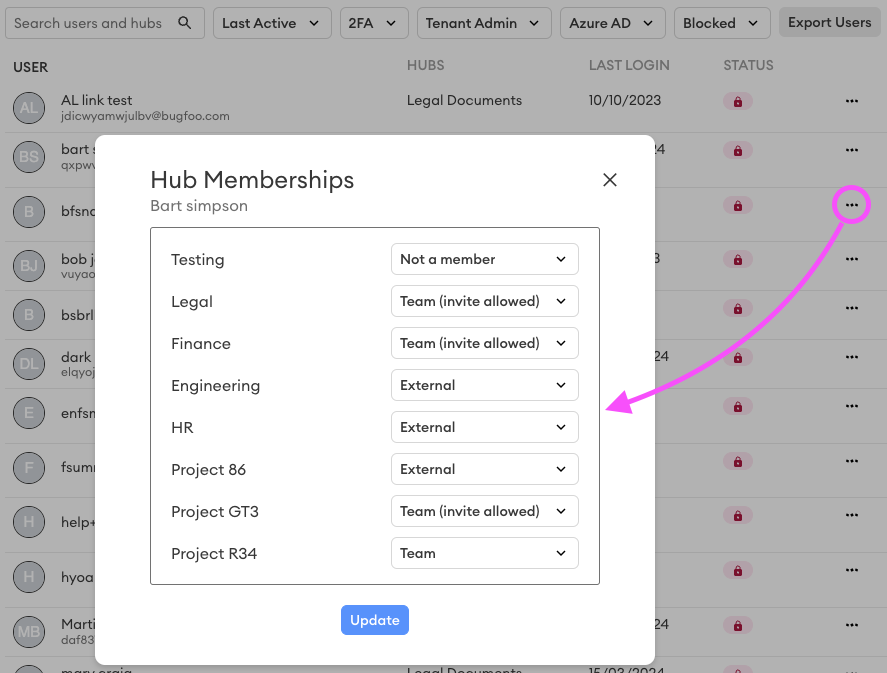
Tenant admins can now manage users’ Hub memberships and roles from a single menu, with the ability to add a user to a Hub even if the Tenant admin is not a member of said Hub. To access the membership control menu, open the [⋯] button in the user’s entry on the user management page, then manage Hub memberships:
{width=624}
3 May, 2024
- New ✨: Mass share
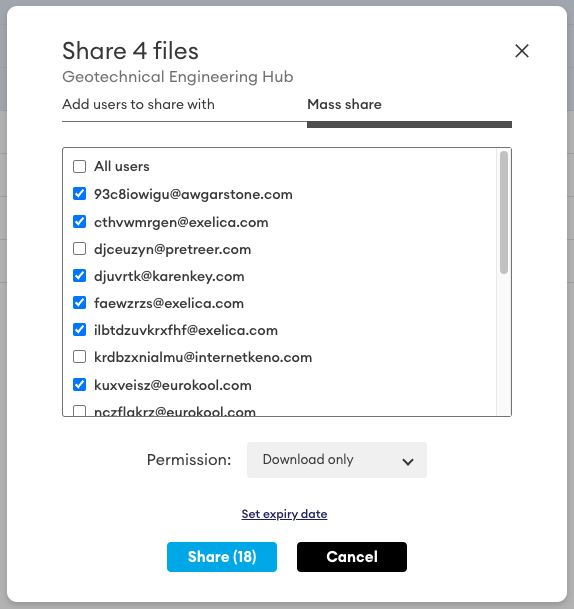
The sharing menu now includes options to select sharing recipients from the contact list in the selected Hub. You can select users individually, select all using the All users check box, or do an All users selection and then uncheck individuals.
All recipients in a mass share have the same permission. To individualise permissions, share the content and then switch to the regular share tab - permissions can be updated on a per-user basis.
12th March, 2024
- New ✨: Restrict root upload and sharing for External users
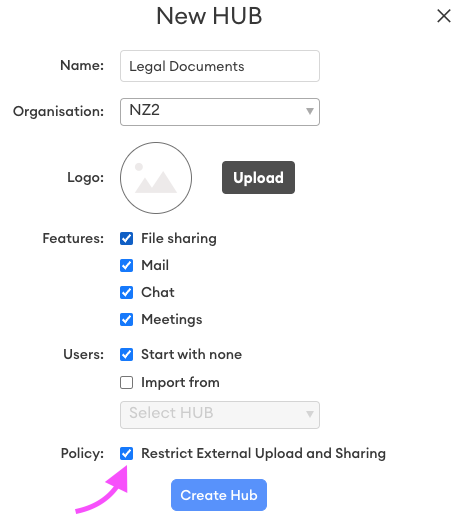
This new Hub policy disables the following for External users in the Hub: - The ability to upload files to the root of a Hub - The ability to access the sharing menu for files they upload
When this policy is enabled, *External* users will only be able to upload files in to folders that are **shared with them**. In addition, they must be granted permission to upload (either *Download + upload* or *Full permissions*). The end result is that the folder owner has absolute control over who can access files in the folder.

The policy also disables the ability to access the **share** menu for *External* users, so they will not be able to edit (add or remove) shared users for files that they upload.
- Updated ⚡️: Hide Meetings button
The Meetings button can now be hidden, either as a Tenancy policy (go to the Hubs tab) or as a per-Hub policy (during Hub creation or in the branding section of the Hub’s settings).
Note: users who have the Meetings button hidden will still be able to participate in video conferences if they are invited to one.
31st January, 2024
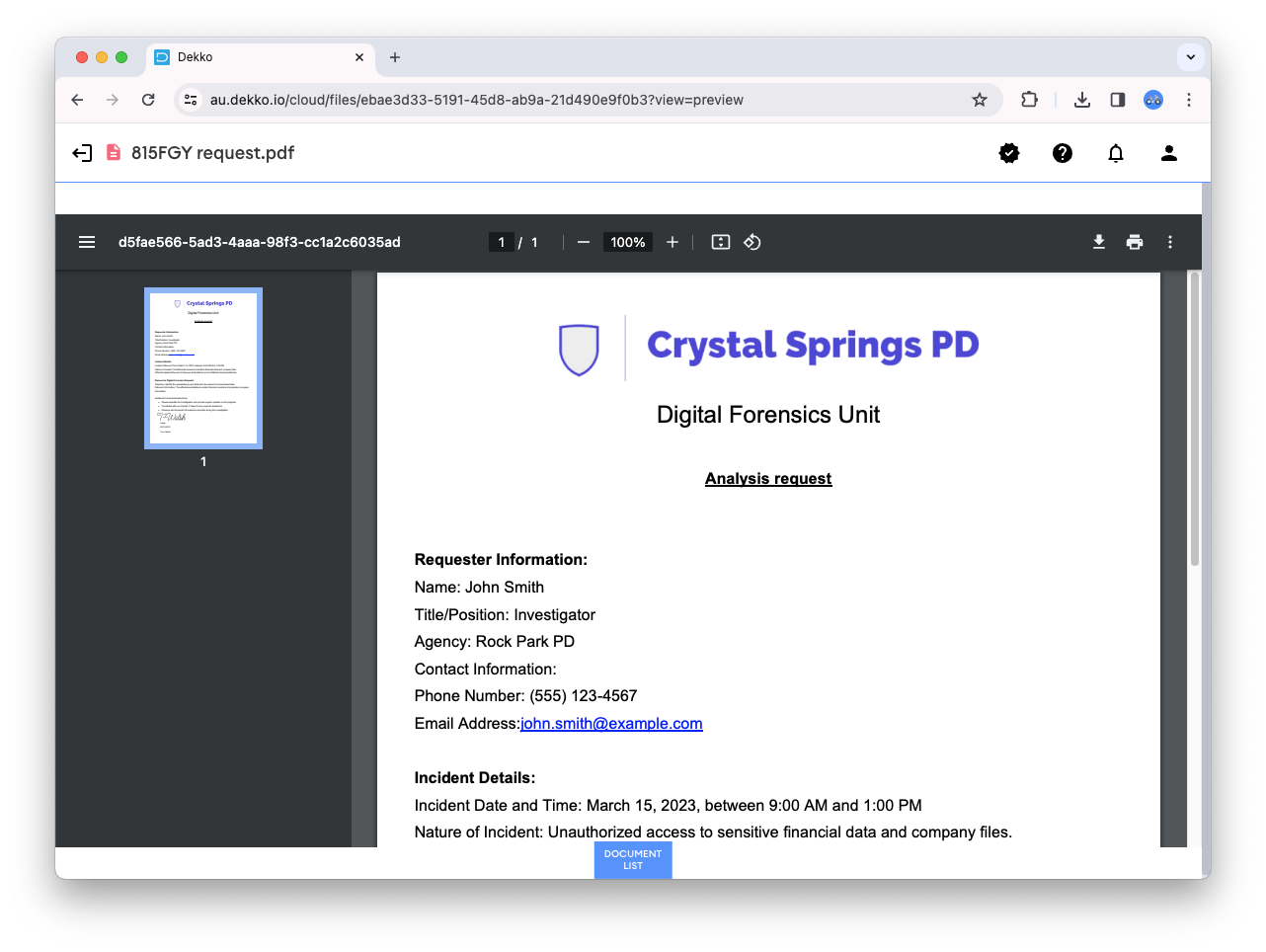
- Updated ⚡️: PDF viewer
PDF documents are now displayed using the native document viewer that is built in to your browser! This introduces scrolling, search (ctrl-F on your keyboard 😎), bookmark selection and a download/print button to the viewing interface. You can also view the document’s metadata by selecting Document properties in the menu dropdown.
PDF documents that are shared view-only or opened on iOS devices (iPhone and iPad) will be displayed using the controlled viewer that was previously in place, which prevents download, text copying and downloads.
{width=804}
4th December, 2023
- New ✨: Product video
Need to share information about what the DekkoSecure application is and does? We’ve put this brief (7min) video, covering log in, invites, uploading, sharing, editing, signing, messaging and more.
Here’s the link to share:
We’ve also added it to the quick-start guide.
29th November, 2023
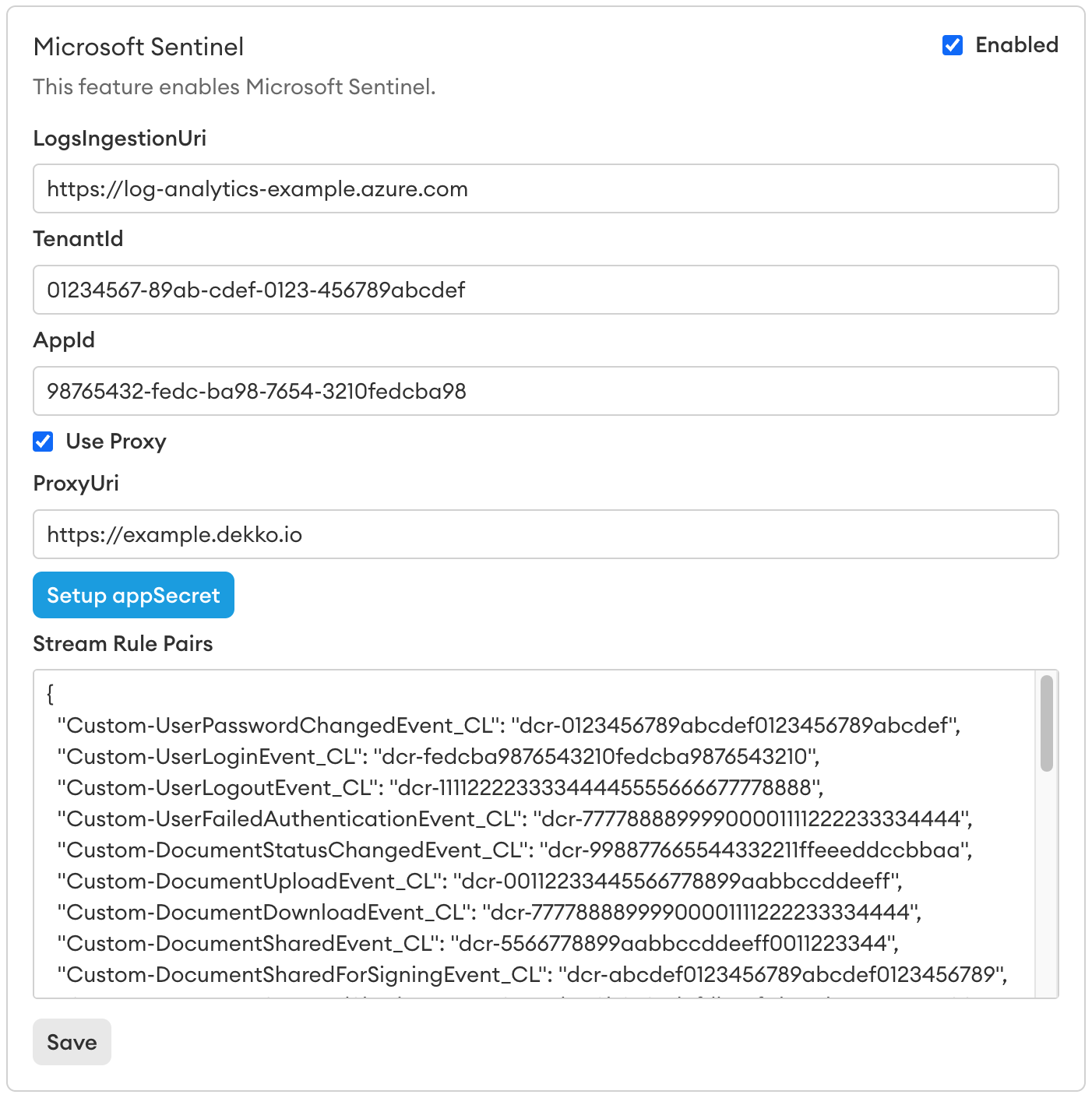
- New ✨: Microsoft Sentinel integration
For customers looking to extend audit logging using automated feeds, DekkoSecure is now offering native integration with Microsoft Sentinel. Logs can include the full standard internal audit logging content, as well as additional items such as failed authentication attempts and file names. Check out the knowledge base article to learn more!
{width=768}
- Updated ⚡️: Invite permission control for Team Member invites
When you select Team Member for a new user in a Hub, you’ll be able to choose whether they are able to send invites. If your permissions requirements change in the future, you can grant or restrict invite permission in the Hub management view.
27th November, 2023
- Updated ⚡️: Upload processing for large volume uploads and sharing
Uploading and sharing has been turbocharged! We won’t go in to the nerdy details here, but an incredible engineering effort has resulted in up to 8x faster upload and share times. The next time you upload a large file, folder, or group of files (especially to a shared folder), prepare to be amazed!

You’ll need to be on a Chromium-based web browser (Chrome, Edge or Brave) version 110 or newer for this update to take full effect. Performance on Safari and Firefox has also improved greatly, but not quite as much as on Chromium due to disparities in the way each browser engine works. You can check your browser version at whatismybrowser.com.
GIF content credit - National Aeronautics and Space Administration: Atlantis launch July 2011
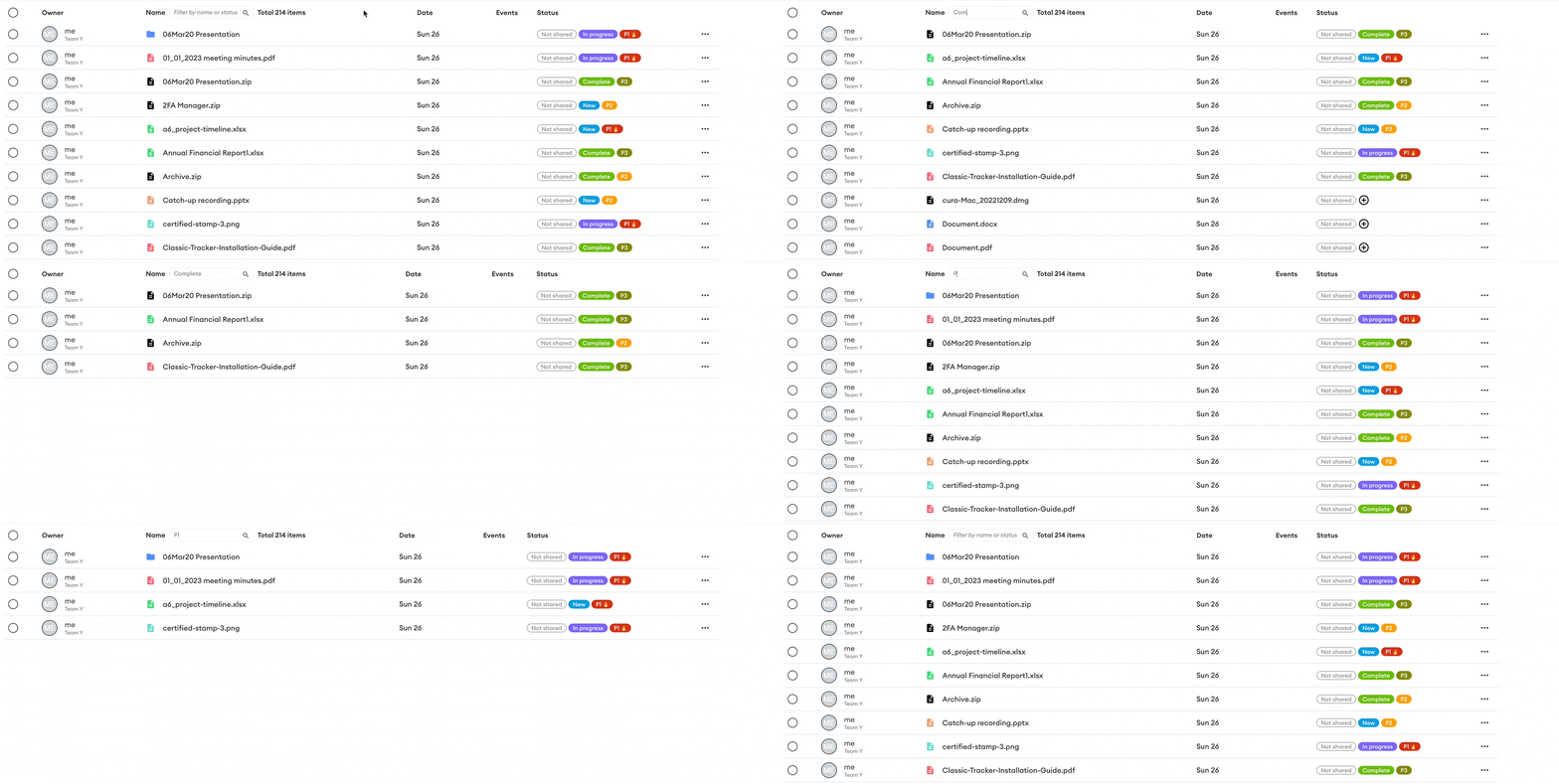
- Updated ⚡️: filter by status
The quick-filter now includes searching by status tag. If your organisation has set up a tag such as “Complete”, simply enter the tag partially or in full to focus the file listing on a matching search term.
24th November, 2023
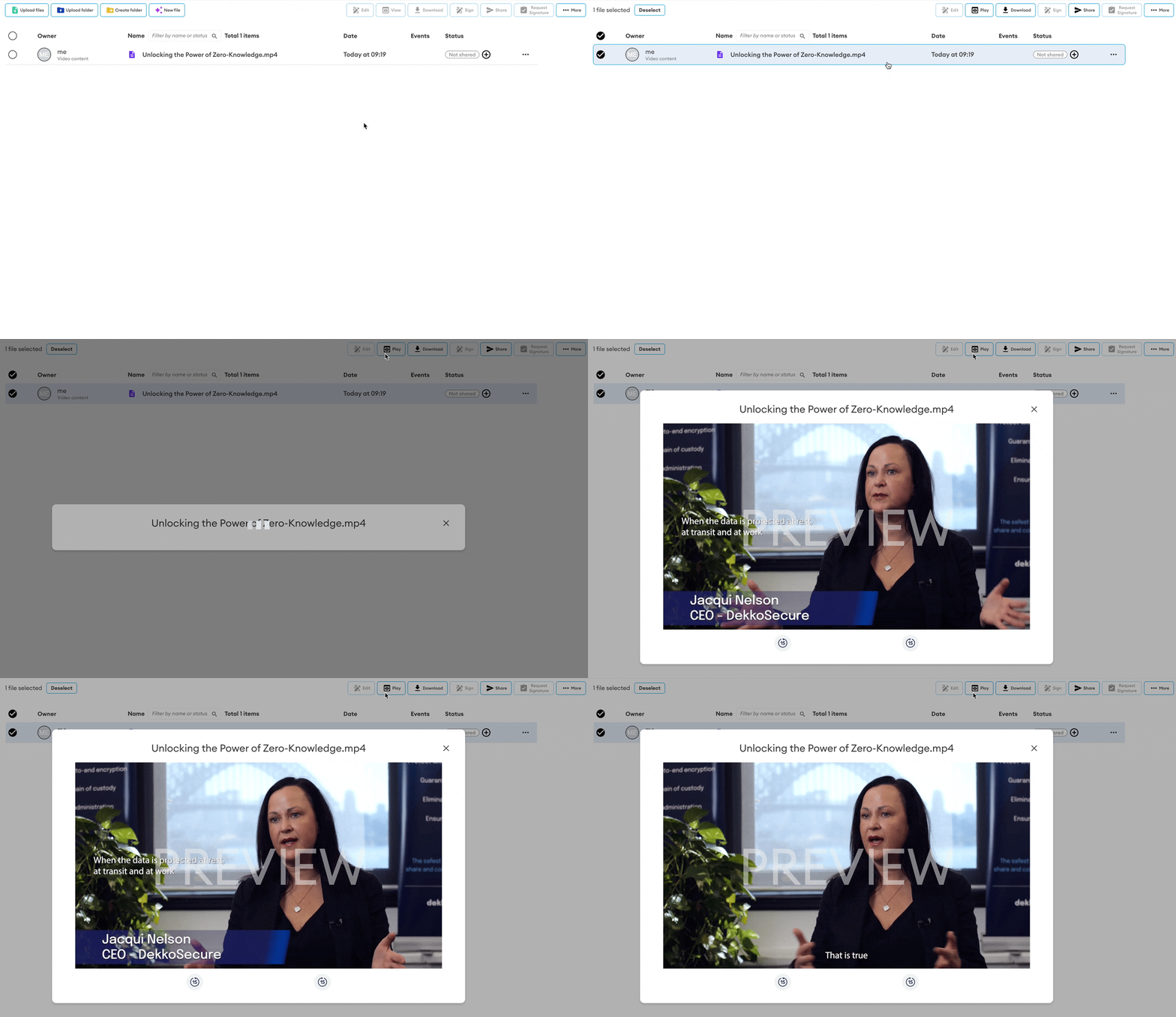
- New ✨: In-app playback support for MP4
And… videos can also be shared view-only!
Video playback is currently in preview mode for all DekkoSecure customers, for a limited time only. Please reach out to your account manager to discuss options for adding video playback (and some other exciting features that come with it 😎) to your DekkoSecure license.
- New ✨: User list export (Tenancy Manager)
If you need to report on users in a Tenancy, simply set/enter a filter term (if needed) and then press the Export Users button. This will generated a CSV for external analysis.
- New ✨: Double-click to open
Just like the file explorer on your Windows or Mac device, you can now double-click on viewable files to open them using in the in-app file viewer.
28th October, 2023
- New ✨: Dark mode 🌚
By popular demand, dark mode! To adjust Dekko’s theme head to your profile settings - scroll to the bottom to find the setting. Don’t forget to press save!
- Updated ⚡️: Support for multiple statuses
Multiple status tags can now be set against content. If you have already set a tag using the previous single-status feature, simply click on the tag and select more from the list to add additional tags!
23rd October, 2023
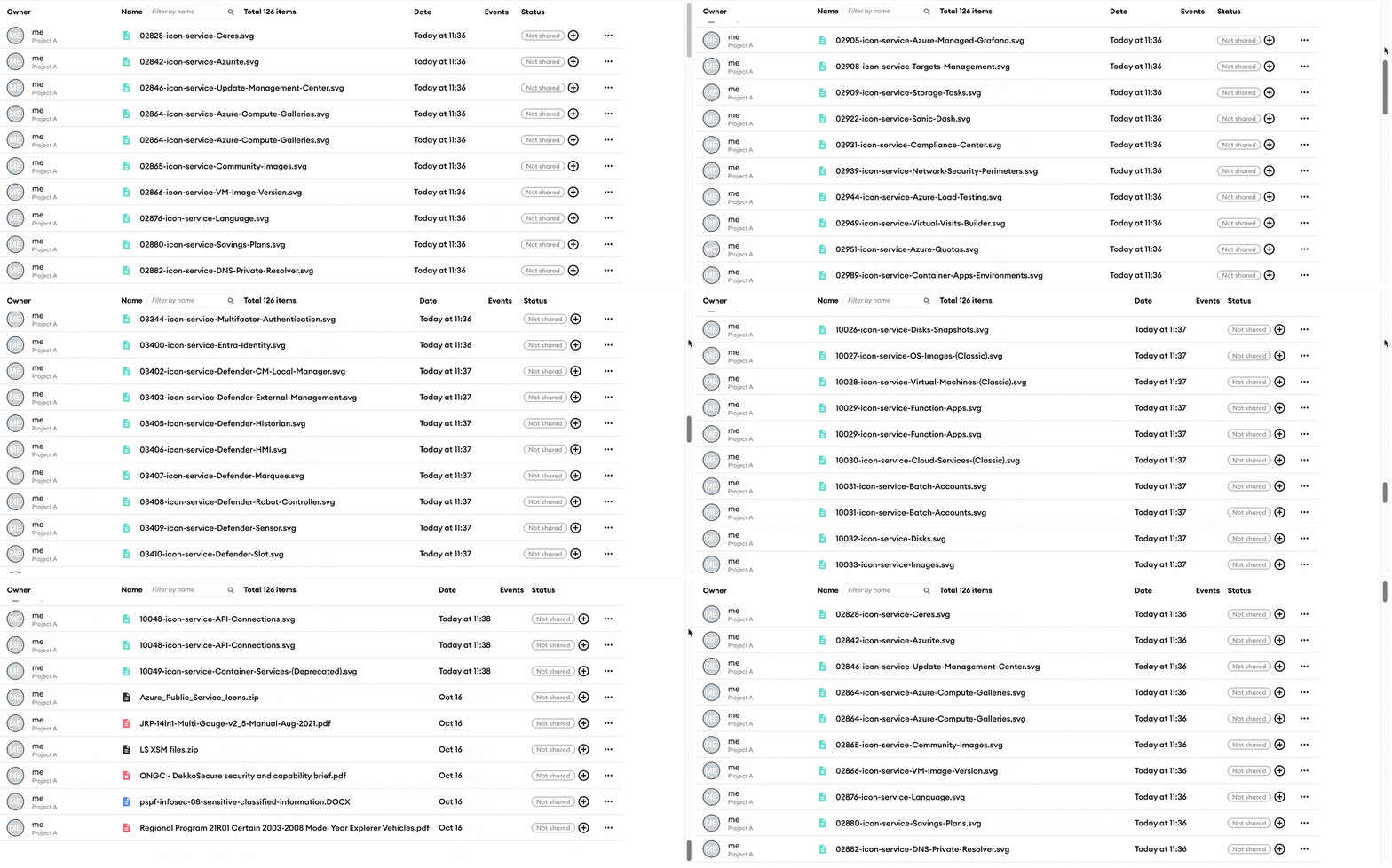
- New ✨: Infinite scroll file loading for large folders
Folders containing more than 50 items will now load automatically as you scroll, replacing a manual button press.
Note - always check the ‘total items’ counter to know how many items are in a folder!
20th October, 2023
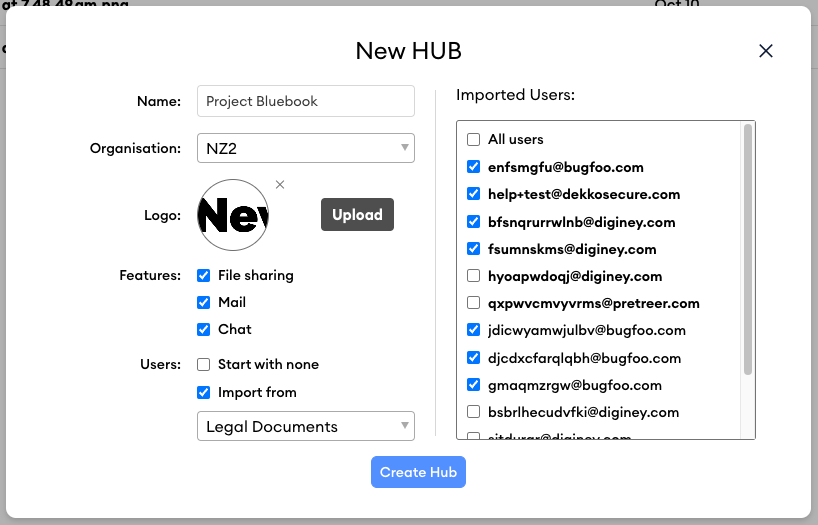
- New ✨: Import users during Hub creation
The next time you create a Hub, you’ll see a new option - Importing users! Simply choose a Hub that you’re already a member of, and a full listing of the users in that Hub will appear for copying to the new one. Users are grouped by their domain, so you can easily pick which groups are relevant to the new Hub.
Team member users are presented in bold; all users settings will be carried across for super-fast Hub set up.
18th October, 2023
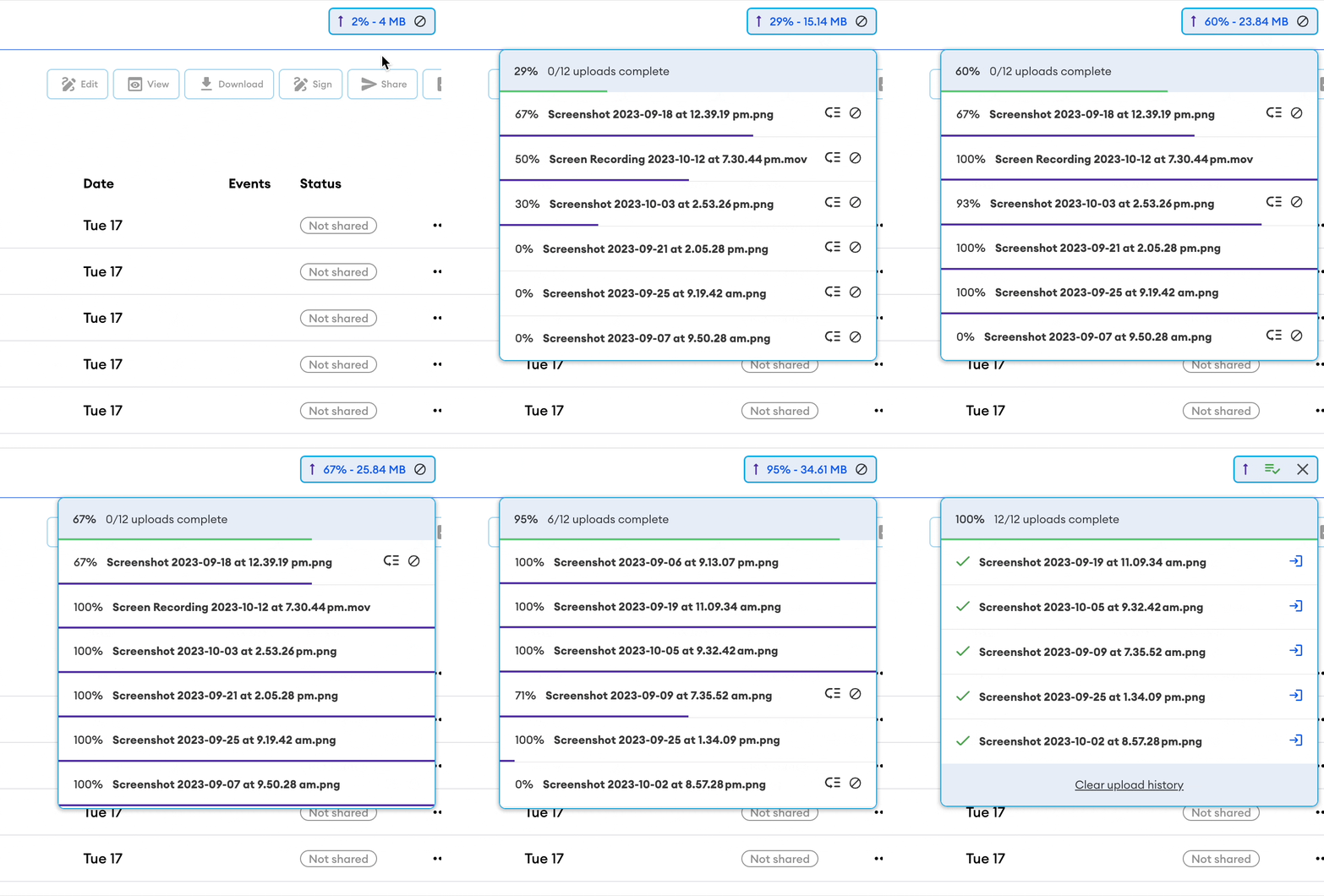
- New ✨: Data reporting in upload progress
In addition to completion percentage, the upload progress listing now also shows the total amount of data uploaded. This counter will reset after each completed upload batch:
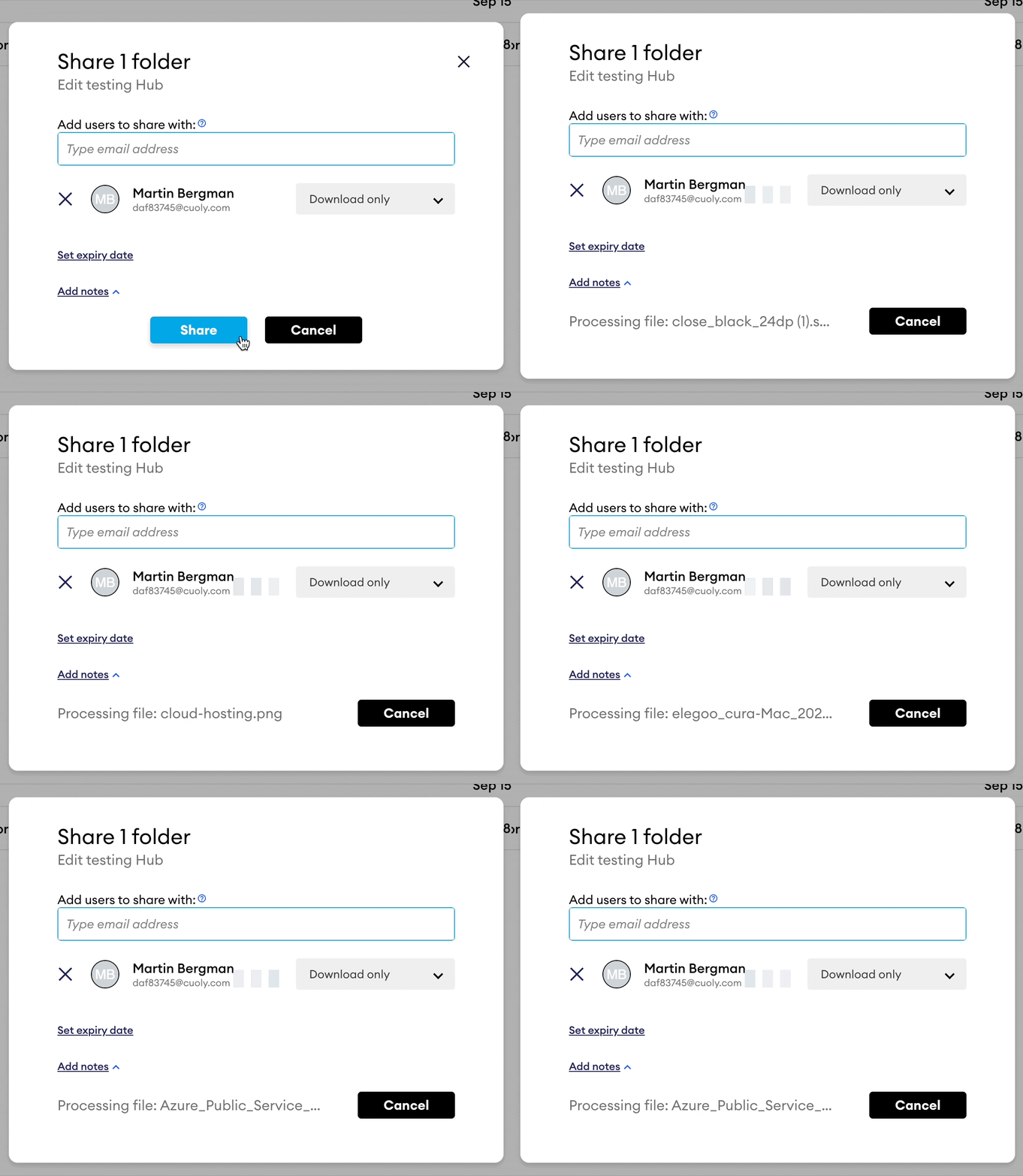
- New ✨: Sharing process indicator
The sharing window now displays which file is being worked on when you share multiple files:
- Updated ⚡️: We’ve dramatically improved the speed of retrieving file-level audit logs. The next time you open the event listing for a file, you’ll notice that it loads much faster!
6th October, 2023
- New ✨: Content filter
Type in a term for quick filtering - files and folders that don’t match will be quickly excluded from view for easy searching!
2nd October, 2023
New ✨: Appendix for invite notifications
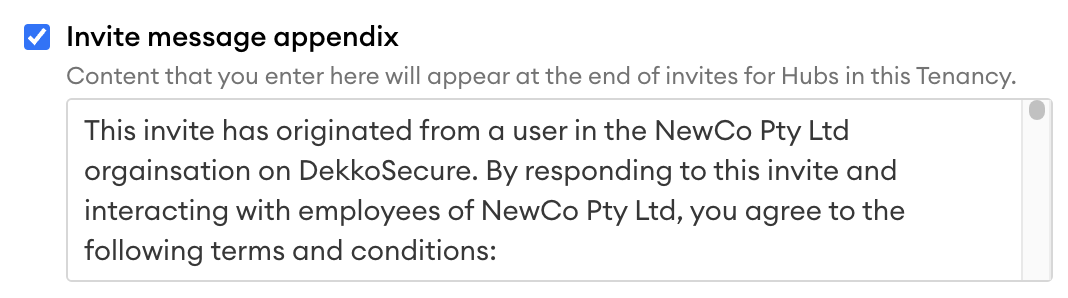
Example:
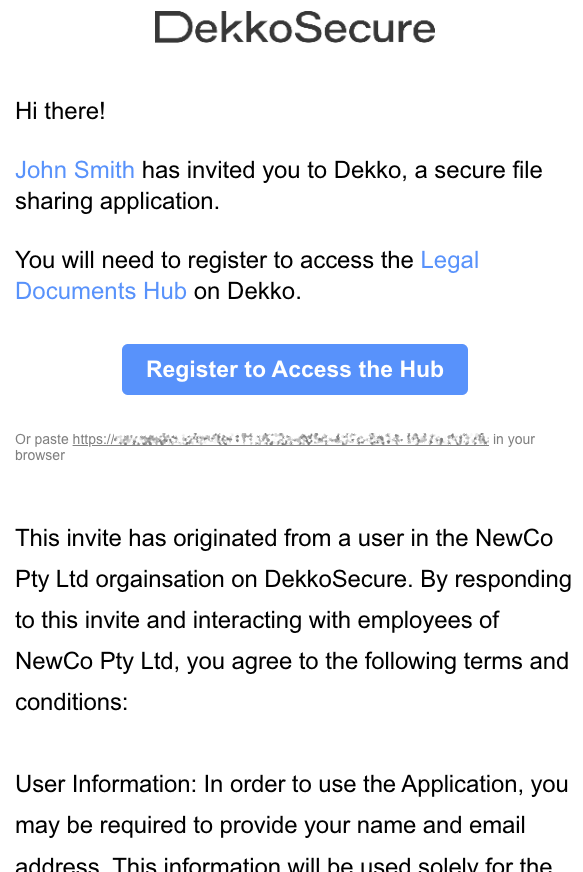
If you’re an admin, check out the invite appendix notes on the tenancy policies page.
New ✨: Status tagging for files and folders
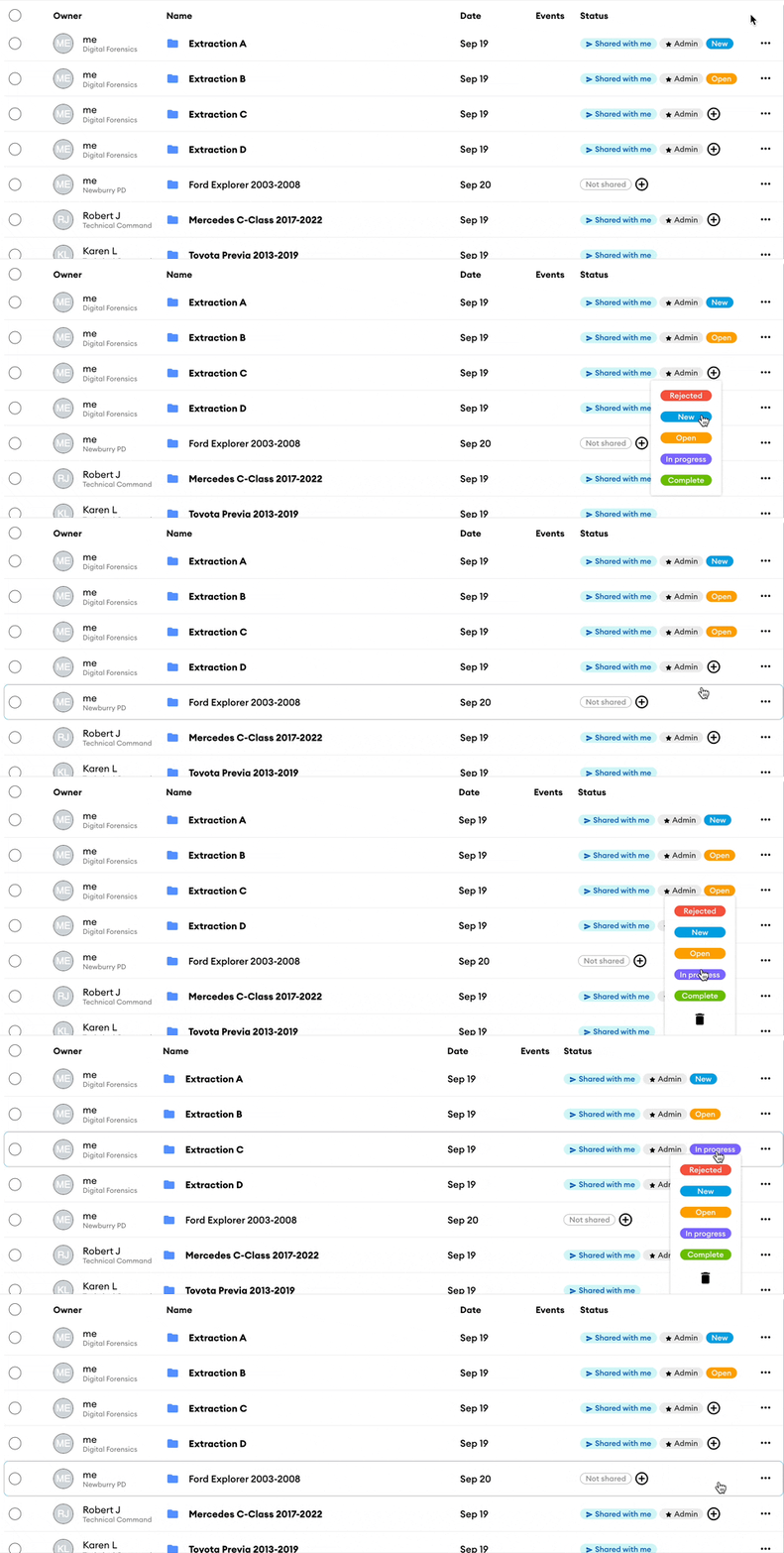
If you’re an admin, check out the status tagging notes on the tenancy policies page.
If you’re a standard user, check out the how-to page.
Updated ⚡️: Refreshed contact list and navigation bar
We’ve moved the contact list into the navigation bar on the left and added a new navigation item that will take you straight to your Hub and contact settings. Hover your mouse over a contact to start a new mail thread or chat conversation:
- Updated ⚡️: The whole Mail interface!
We’ve aligned the Mail interface with our design system to make messaging threads feel even more at home:
- Maintenance 🏗️: The DekkoSecure-AU platform (au.dekko.io) will also be undergoing maintenance from 6pm AEDT. The expected maintenance period is 6 hours, and access to the platform will be limited for at least 2 hours from the commencement of the maintenance window. Please plan any critical usage around this time and check dekkosecure.statuspage.io for updates (and don’t forget to subscribe!).
14th September, 2023
- New ✨: In-app playback for MP3 audio files
Simply upload an MP3 file and you, or users your share with (don’t forget about view-only sharing) will be able to play the file without downloading it -
6th April, 2023
- New ✨: Tenancy policy for Hub creation restriction policy
When specific users or domains are added, general ability for Hub creation for your Tenancy will be limited to whatever you add to the policy.
28th March, 2023
- New ✨: ‘Not shared’ and expiry tags
We’ve introduced to new tags that will appear in the Status column.
For files that are not yet shared.
14th September, 2022
- New ✨: Office file editing
This is a big one! today we’re launching the ability to edit office files (Word/DOCX, Excel/XLSX and Powerpoint/PPTX). Not only can you edit files in-app, but you can also do it at the same time as other users. To allow other users to edit your files, make sure you share with full permissions.
26th March, 2022
- New ✨: In-app image viewing
Now when you upload an image file, you, or users your share with (don’t forget about view-only sharing) will be able to view the file without downloading it -
This is the start of our update log… you’re at the end of the line! 🚧
Go here to see newer updates.