

Authentication
How DekkoSecure handles user authentication.
Identification
Users are uniquely identified by their email address, or by a User ID for accounts created by a Tenancy Manager. Email addresses are the primary entity used for sharing and invites, however users in common Hubs can also search by name.
A Tenancy Manager can create a user account without sending an email invite. These accounts are identified by a User ID rather than an email address. For steps, see Core Hubs: Invite Users.
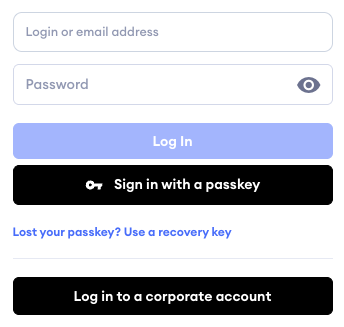
Users with a User ID account sign in by entering their User ID in the username field instead of their email address. Users who sign in with a passkey don't need to enter any credentials, because the passkey is the credential.
Users with a User ID account are invited to and shared with in the same way as users with an email address. You add them to a Core Hub using the Manage users function, as described in Core Hubs: Create and Manage Hubs, or share a Fusion Hub with them as an individual or as part of a group. Their User ID is used as their identifier in place of an email address.
Standard non-SSO accounts
Passwords
The default password length policy is 12 characters. This can be increased by setting an increased minimum password length using the Tenancy Manager policy.
Each user’s password is used to encrypt their private key, and passwords are hashed and salted before they are stored by the DekkoSecure system. This is one of the key building blocks of the platform’s Zero Knowledge capability.
MFA Protocol
DekkoSecure uses TOTP (Time-Based One-Time Password) as the 2FA method on accounts that authenticate via the built-in profile system (“Standard accounts”). Organisations that authenticate using Entra ID SSO will follow the conditional access controls set by the customer in the Entra ID administration tools.
Standard accounts can also use a passkey to sign in. You can add a passkey either instead of a password or alongside one, and a passkey sign-in satisfies two-factor authentication on its own. For setup, see Enable passkeys on your account.
Tenancy Managers can control passkey use with two Tenancy policies:
- Enforce passkey policy: requires Standard accounts to sign in with a passkey.
- Enforce hardware attestation for passkeys policy: restricts passkeys to hardware-bound authenticators, so software-only passkeys cannot be used.
2FA is also enforceable via a policy in the Tenancy Manager. DekkoSecure employs TOTP 2FA rather than SMS 2FA because it does not rely on sending codes over SMS or any other communication channel. Instead, the one-time password is generated by a dedicated app (such as Microsoft Authenticator) on the user's device, and is valid only for a short period of time. This makes it much harder for an attacker to intercept the code or gain access to the user's account through social engineering or phishing attacks.
Failure to satisfy a 2FA challenge is met with exponential backoff.
Supported Authenticator applications
Official support is offered for Microsoft Authenticator.
Official iOS link: https://apps.apple.com/app/microsoft-authenticator/id983156458
Official Android link: https://play.google.com/store/apps/details?id=com.azure.authenticator
Alternative authenticator applications that support TOTP are also able to be used, such as:
- Google Authenticator
- Authy
- Okta Verify
DekkoSecure does not support or endorse the use of paid authenticator applications.
If a 2FA app demands payment, do not use it.
Our comprehensive 2FA guides can be found here.
Single Sign-On accounts
Entra ID SSO
The DekkoSecure platform natively supports SSO integration for Azure Active Directory/Entra ID as a third-party enterprise application. Entra ID users are auto-provisioned and customer’s conditional access controls can be applied for multiple layers of authentication.
Critically, Entra ID integration is for authentication only. Access to content such as files and organisational governance is managed by the DekkoSecure application (via sharing permission and Tenancy controls).
Users that authenticate using SSO can interact with both SSO and non-SSO users, and if a client begins using DekkoSecure without SSO, existing users can be automatically migrated to SSO, retaining their files, contacts and Hub membership(s).
Please review our SSO FAQ and Entra ID pages for more information.